LLMChat: Chat with Your PDFs — Adding a RAG Pipeline
LLMs are smart, but they don't know your documents. I added a RAG pipeline to LLMChat — upload a PDF, chunk it, embed it, and chat with it. Zero external infrastructure.
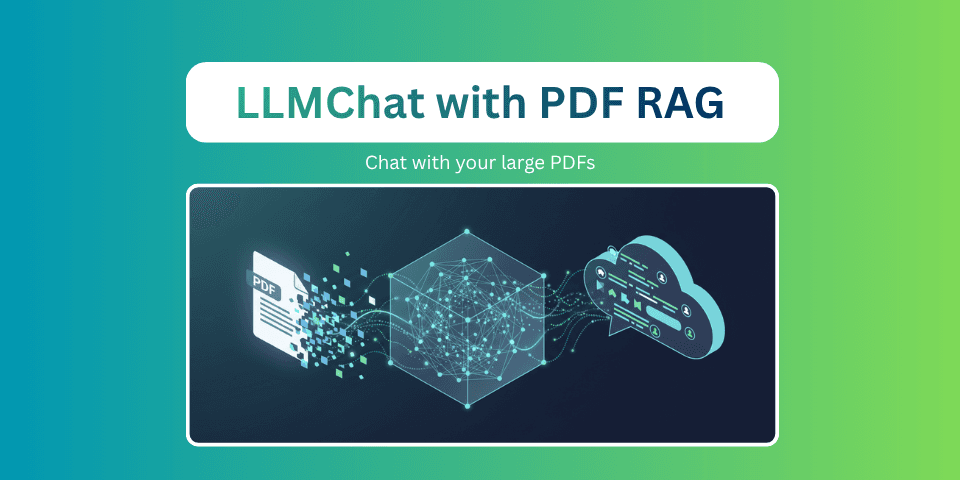
The Problem: LLMs Don't Know Your Documents
In Part 1, we built a self-hosted chat interface that connects to any OpenAI-compatible endpoint. It's fast, it's flexible, and it streams responses in real-time.
But ask it about the contents of a research paper you just downloaded, and it'll either hallucinate confidently or politely tell you it doesn't have access to external documents. Fair enough. LLMs only know what they were trained on, and your PDF from yesterday definitely wasn't in the training set.
This is where Retrieval-Augmented Generation (RAG) comes in.
The concept is straightforward: instead of expecting the model to memorize everything, you retrieve relevant chunks from your documents and inject them into the prompt as context. The model then generates a response grounded in your actual data, not its imagination.
Enterprise RAG solutions from LangChain, LlamaIndex, or cloud providers can get complex fast. Vector databases, embedding pipelines, re-rankers, orchestration layers. But for a self-hosted personal chat interface? We can build something useful with far less.
The RAG Pipeline I Built
Here's the complete flow, from PDF upload to contextualized response:
Let me walk through each step.
Step 1: PDF Upload and Text Extraction
When you upload a PDF through the LLMChat interface, the backend saves it and extracts all text using PyMuPDF (the fitz library):
1import fitz  # PyMuPDF
2
3def extract_text_from_pdf(file_path) -> str:
4    doc = fitz.open(str(file_path))
5    text_parts = []
6    for page in doc:
7        text_parts.append(page.get_text())
8    doc.close()
9    return "\n".join(text_parts)
PyMuPDF is fast, has no Java dependencies (unlike Apache Tika), and handles most PDF layouts well. It's not perfect for complex tables or scanned documents, but for text-heavy papers and documentation, it's excellent.
Step 2: Text Chunking
A 50-page PDF might produce 100,000+ characters of text. You can't just dump all of that into the prompt because it would blow the context window. Instead, we split the text into overlapping chunks:
1def chunk_text(text: str, chunk_size: int = 500, overlap: int = 100) -> list[str]:
2    chunks = []
3    start = 0
4
5
6    while start < len(text):
7        end = start + chunk_size
8        chunk = text[start:end]
9
10        # Try to break at a natural boundary
11        if end < len(text):
12            for sep in ['\n\n', '\n', '. ', ' ']:
13                last_sep = chunk.rfind(sep)
14                if last_sep > chunk_size // 2:
15                    chunk = chunk[:last_sep + len(sep)]
16                    end = start + len(chunk)
17                    break
18
19        chunks.append(chunk.strip())
20        start = end - overlap  # Overlap for context continuity
21
22    return [c for c in chunks if c]
Two things make this chunker better than a naive fixed-size split:
-
Boundary-aware splitting: Instead of cutting mid-sentence, it looks for natural break points. Paragraph breaks, newlines, periods, or spaces. It preference-orders them so paragraph breaks are preferred over word breaks.
-
Overlap: Each chunk overlaps with the previous one by 100 characters. This ensures that context spanning chunk boundaries isn't lost. A sentence that starts at the end of chunk 3 will also appear at the beginning of chunk 4.
The defaults (500 characters, 100 overlap) work well for most documents. You can tune these via environment variables:
1RAG_CHUNK_SIZE=500        # Characters per chunk
2RAG_CHUNK_OVERLAP=100     # Overlap between chunks
3RAG_TOP_K=5               # Number of chunks to retrieve
Step 3: Embedding
Each chunk gets converted into a 384-dimensional vector using sentence-transformers:
1from sentence_transformers import SentenceTransformer
2
3model = SentenceTransformer("all-MiniLM-L6-v2")
4embeddings = model.encode(chunks, show_progress_bar=False)
The all-MiniLM-L6-v2 model is a sweet spot for RAG:
- Small: ~80MB, loads in seconds
- Fast: Embeds hundreds of chunks in under a second
- Local: Runs entirely on your machine, no API calls
- 384-dim: Compact vectors that are efficient to store and search
I chose this over OpenAI's text-embedding-3-small for one reason: it's free and local. No API keys, no per-token charges, no data leaving your infrastructure.
Step 4: Vector Indexing with Qdrant
The embedded chunks are stored in Qdrant, an open-source vector database. I'm using the in-memory client for simplicity:
1from qdrant_client import QdrantClient
2from qdrant_client.models import Distance, VectorParams, PointStruct
3
4# Initialize (in-memory — no external server needed)
5qdrant_client = QdrantClient(":memory:")
6
7# Create collection
8qdrant_client.create_collection(
9    collection_name="documents",
10    vectors_config=VectorParams(size=384, distance=Distance.COSINE),
11)
12
13# Index chunks
14points = []
15for i, (chunk, embedding) in enumerate(zip(chunks, embeddings)):
16    points.append(PointStruct(
17        id=str(uuid.uuid4()),
18        vector=embedding.tolist(),
19        payload={
20            "user_id": user_id,
21            "doc_id": doc_id,
22            "filename": filename,
23            "chunk_index": i,
24            "text": chunk,
25        }
26    ))
27
28qdrant_client.upsert(collection_name="documents", points=points)
Why Qdrant over ChromaDB, Pinecone, or Weaviate?
- In-memory mode: Zero configuration. No Docker containers, no external services. Just
QdrantClient(":memory:")and you're indexing. - Cosine similarity: The right distance metric for sentence embeddings.
- Payload filtering: We filter by
user_idso each user only searches their own documents.
The tradeoff? In-memory means data is lost on restart. For a personal self-hosted tool, this is acceptable. For production, you'd switch to Qdrant's persistent storage.
Step 5: Query-Time Search
When you send a message with RAG enabled, the backend embeds your question using the same model and searches for similar chunks:
1def search_documents(client, collection_name, embedding_model_name, user_id, query, top_k=5):
2    model = get_embedding_model(embedding_model_name)
3    query_embedding = model.encode([query], show_progress_bar=False)[0]
4
5    results = client.query_points(
6        collection_name=collection_name,
7        query=query_embedding.tolist(),
8        query_filter=Filter(
9            must=[FieldCondition(key="user_id", match=MatchValue(value=user_id))]
10        ),
11        limit=top_k,
12    ).points
13
14    return [
15        {
16            "text": hit.payload.get("text", ""),
17            "filename": hit.payload.get("filename", ""),
18            "score": hit.score,
19            "chunk_index": hit.payload.get("chunk_index", 0),
20        }
21        for hit in results
22    ]
The top-k results (default 5) are formatted and injected into the system prompt:
1def perform_rag_search(client, collection_name, embedding_model_name, user_id, query, top_k=5):
2    results = search_documents(client, collection_name, embedding_model_name, user_id, query, top_k)
3
4    if not results:
5        return ""
6
7    parts = ["**[Document Context]**\n"]
8    for i, r in enumerate(results, 1):
9        score_pct = int(r["score"] * 100)
10        parts.append(f"\n**[{i}. {r['filename']} (relevance: {score_pct}%)]**\n{r['text']}\n")
11
12    return "\n".join(parts)
The LLM sees something like:
**[Document Context]**

**[1. research_paper.pdf (relevance: 87%)]**
The study demonstrated a 34% improvement in detection accuracy when using...

**[2. research_paper.pdf (relevance: 82%)]**
Table 3 shows the comparison between baseline and proposed methods...
This context gets prepended to the system prompt, so the model has the relevant document snippets right there when generating its response.
The API Endpoints
LLMChat exposes a clean set of REST endpoints for the RAG pipeline:
| Method | Path | Purpose |
|---|---|---|
POST | /rag/upload?user_id=xxx | Upload and index a PDF |
GET | /rag/documents?user_id=xxx | List user's indexed documents |
DELETE | /rag/documents/{doc_id}?user_id=xxx | Delete a document from index |
POST | /rag/search | Search documents (for testing) |
GET | /rag/status | Check RAG system health |
Upload Example
1curl -X POST "http://localhost:3000/rag/upload?user_id=user-abc123" \
2  -F "file=@research_paper.pdf"
Response:
1{
2  "status": "ok",
3  "doc_id": "a1b2c3d4-...",
4  "filename": "research_paper.pdf",
5  "chunk_count": 47,
6  "text_length": 23456
7}
Search Example
1curl -X POST "http://localhost:3000/rag/search" \
2  -H "Content-Type: application/json" \
3  -d '{"user_id": "user-abc123", "query": "detection accuracy", "top_k": 3}'
Using RAG in the Chat Interface
From the frontend, using RAG is as simple as toggling a switch.

- Upload a PDF using the attachment button, PDFs are automatically routed to the RAG pipeline
- Toggle RAG on in the sidebar
- Ask questions about your document, relevant chunks are automatically retrieved and injected
The frontend shows indexed documents with a delete button for each:
1async function uploadRagDocument(file) {
2    const formData = new FormData();
3    formData.append('file', file);
4
5    const res = await fetch("/rag/upload?user_id=" + userId, {
6        method: 'POST',
7        body: formData,
8    });
9
10    const data = await res.json();
11    fileList.textContent = "Indexed: " + file.name + " (" + data.chunk_count + " chunks)";
12    await loadRagDocuments();  // Refresh document list
13}
When RAG is enabled and you send a message, the backend automatically:
- Embeds your question
- Searches for relevant chunks
- Injects them into the system prompt
- Sends the augmented prompt to the LLM
The user doesn't need to know or care about embeddings, vectors, or cosine similarity. They just ask a question and get an answer grounded in their documents.

Limitations & What I'd Change
I believe in being honest about what works and what doesn't. Here are the current limitations:
What Works Well
✅ PDF text extraction: Handles most text-heavy documents reliably
✅ Chunk relevance: The overlap strategy keeps context coherent
✅ Speed: Embedding + search takes <500ms for most queries
✅ Simplicity: Zero external infrastructure, runs in-process
What Doesn't (Yet)
❌ In-memory storage: Everything is lost when the server restarts. For a personal tool, this is fine, just re-upload. For anything shared, you'd need persistent Qdrant storage.
❌ PDF-only: No support for Word documents, HTML, web pages, or plain text files (for RAG indexing). The upload endpoint handles text files for chat attachments, but they're not indexed for RAG.
❌ No re-ranking: The top-k chunks are returned by raw cosine similarity. A re-ranker (like cross-encoder/ms-marco-MiniLM-L-6-v2) could significantly improve relevance for ambiguous queries.
❌ No hybrid search: Pure vector search. Adding BM25 keyword matching alongside semantic search would catch exact-match terms that embeddings sometimes miss.
❌ No chunking strategy tuning: The 500-character chunks work for general documents, but tables, code blocks, and structured data would benefit from format-aware chunking.
❌ Single embedding model: all-MiniLM-L6-v2 is good but not great. Larger models like bge-large-en-v1.5 would improve retrieval quality at the cost of speed and memory.
If I Were Rebuilding It
I'd add:
- Persistent Qdrant (or SQLite-based vector storage) for surviving restarts
- Multi-format support at minimum,
.docxand.html - A cross-encoder re-ranker as a second-pass filter
- Chunk metadata page numbers, section headers for better attribution
- Streaming RAG show which chunks were retrieved alongside the response
But the current version works well enough for what it is: a personal document Q&A tool that runs entirely on your machine.
What's Next
In Part 3, we'll add two more context sources: vision model support (upload images and ask about them) and web search integration (ground responses in real-time web data). Plus the fallback strategy that keeps LLMChat useful even when models go down.
P.S.: The embedding model loads lazily. The first RAG query takes a couple of seconds while all-MiniLM-L6-v2 loads into memory. After that, it's cached and near-instant. If you're impatient like me, just upload a document right after starting the server to warm it up 😄.
Previous Post
LLMChat: Building a Self-Hosted ChatGPT Alternative with FastAPI
Next Post
LLMChat: Vision Models, Web Search, and Smart Fallbacks
If the article helped you in some way, consider giving it a like. This will mean a lot to me. You can download the code related to the post using the download button below.
If you see any bug, have a question for me, or would like to provide feedback, please drop a comment below.