Self-Hosting LLMs: A Guide to vLLM, SGLang, and Llama.cpp
Take control of your AI infrastructure. Learn how to self-host Large Language Models using three powerful serving engines: vLLM, SGLang, and Llama.cpp.
Why Self-Host LLMs?
The rise of powerful open-source language models like Llama, Mistral, Qwen, and DeepSeek has fundamentally changed the AI landscape. You no longer need to rely on expensive API calls or surrender your data to cloud providers. Self-hosting gives you:
- Complete Privacy: Your prompts and data never leave your infrastructure
- Cost Control: No per-token charges, pay only for hardware
- Customization: Fine-tune models, adjust parameters, optimize for your use case
- Low Latency: No network round-trips to external servers
- Reliability: No dependency on third-party uptime or rate limits
But spinning up an LLM isn't as simple as running a Python script. You need a serving engine, software that efficiently loads the model into memory, handles batching, manages GPU resources, and exposes an API for inference.
In this guide, we'll explore three popular serving engines, each with different strengths:
| Engine | Best For | Hardware |
|---|---|---|
| vLLM | High-throughput production deployments | NVIDIA GPUs |
| SGLang | Complex multi-turn & structured generation | NVIDIA GPUs |
| Llama.cpp | CPU/low-VRAM inference, edge deployment | CPU, Apple Silicon, GPUs |
Let's dive in.
vLLM
What is vLLM?
vLLM is a high-throughput, memory-efficient inference engine developed at UC Berkeley. It's designed for production deployments where you need to serve many concurrent users with minimal latency.
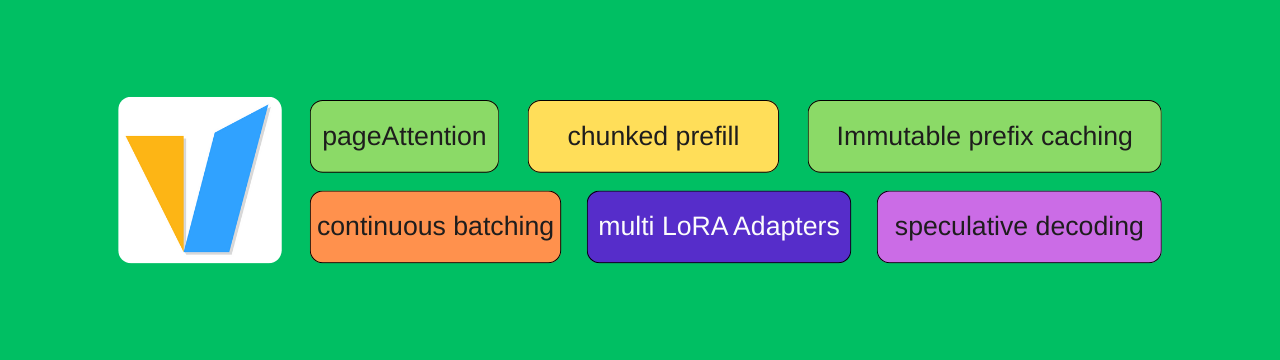
The secret sauce? PagedAttention, a novel attention algorithm that manages KV-cache memory like virtual memory in operating systems. This eliminates memory waste and enables significantly higher throughput compared to naive implementations.
Salient Features
- PagedAttention: Up to 24x higher throughput than HuggingFace Transformers
- Continuous Batching: Dynamically batches requests for optimal GPU utilization
- OpenAI-Compatible API: Drop-in replacement for OpenAI endpoints
- Tensor Parallelism: Distribute models across multiple GPUs
- Quantization Support: AWQ, GPTQ, SqueezeLLM, FP8 for reduced memory
- Speculative Decoding: Faster inference with draft models
- LoRA Support: Serve multiple fine-tuned adapters simultaneously
Install and Serve
Prerequisites: NVIDIA GPU with CUDA 12.1+, Python 3.9+
1# Create virtual environment
2python -m venv vllm-env
3source vllm-env/bin/activate  # Linux/Mac
4# vllm-env\Scripts\activate   # Windows
5
6# Install vLLM
7pip install vllm
Serve a model: Check out various models I have tested so far on various devices here.
1# Serve Qwen 2.5 Coder (great for code completion)
2vllm serve Qwen/Qwen2.5-Coder-7B-Instruct \
3    --host 0.0.0.0 \
4    --port 8000 \
5    --max-model-len 8192
6
7# For quantized models (lower VRAM)
8vllm serve OpenGVLab/InternVL3-8B-AWQ --max-model-len 4096 --gpu-memory-utilization 0.75 --max-num-batched-tokens 1024 --trust-remote-code --quantization awq
Test the endpoint:
1curl http://localhost:8000/v1/chat/completions \
2    -H "Content-Type: application/json" \
3    -d '{
4        "model": "Qwen/Qwen2.5-Coder-7B-Instruct",
5        "messages": [{"role": "user", "content": "Write a Python hello world"}],
6        "max_tokens": 100
7    }'
Key flags to know:
| Flag | Description |
|---|---|
--max-model-len | Maximum context length (reduce for lower VRAM) |
--gpu-memory-utilization | Fraction of GPU memory to use (default: 0.9) |
--quantization | Quantization method: awq, gptq, squeezellm, fp8 |
--enforce-eager | Disable CUDA graphs (for debugging) |
SGLang
What is SGLang?
SGLang (Structured Generation Language) is a serving engine optimized for complex LLM programs. Developed at UC Berkeley, it excels at multi-turn conversations, constrained decoding, and structured outputs.
While vLLM focuses on raw throughput, SGLang shines when you need programmatic control over generation, think JSON schema enforcement, multi-step reasoning, or tool-use patterns.
Salient Features
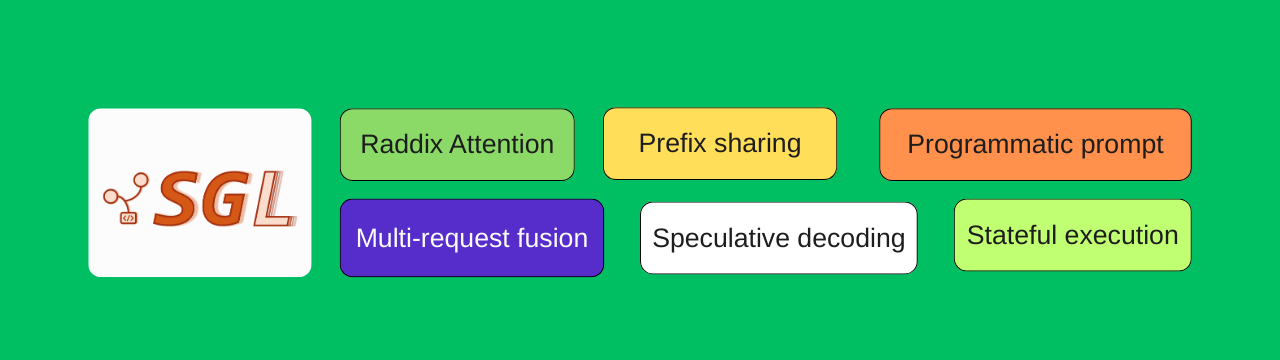
- RadixAttention: Automatic KV-cache reuse across requests with shared prefixes
- Compressed FSM: Fast constrained decoding for JSON, regex, and grammar
- Frontend Language: Python DSL for complex generation programs
- Multi-Modal Support: Vision-language models (LLaVA, Qwen-VL, etc.)
- OpenAI-Compatible API: Works as a drop-in replacement
- Speculative Decoding: Accelerated inference with draft models
- Data Parallelism: Efficient multi-GPU scaling
Install and Serve
Prerequisites: NVIDIA GPU with CUDA 12.1+, Python 3.9+
1# Create virtual environment
2python -m venv sglang-env
3source sglang-env/bin/activate
4
5# Install SGLang with all dependencies
6pip install "sglang[all]"
7
8# Or minimal install
9pip install sglang
Serve a model:
1# Serve Llama 3.1 8B
2python -m sglang.launch_server \
3    --model-path meta-llama/Llama-3.1-8B-Instruct \
4    --host 0.0.0.0 \
5    --port 8000
6
7# Serve a vision-language model
8python -m sglang.launch_server \
9    --model-path Qwen/Qwen2-VL-7B-Instruct \
10    --host 0.0.0.0 \
11    --port 8000 \
12    --chat-template qwen2-vl
Test the endpoint:
1curl http://localhost:8000/v1/chat/completions \
2    -H "Content-Type: application/json" \
3    -d '{
4        "model": "meta-llama/Llama-3.1-8B-Instruct",
5        "messages": [{"role": "user", "content": "Explain quantum computing"}],
6        "max_tokens": 200
7    }'
Constrained JSON generation (SGLang's superpower):
1import sglang as sgl
2
3@sgl.function
4def extract_info(s, text):
5    s += "Extract name and age from: " + text + "\n"
6    s += sgl.gen("result", regex=r'\{"name": "\w+", "age": \d+\}')
7
8# This guarantees valid JSON output matching the pattern
Key flags to know:
| Flag | Description |
|---|---|
--tp | Tensor parallel size (number of GPUs) |
--dp | Data parallel size (for multi-GPU) |
--mem-fraction-static | Static memory allocation fraction |
--chat-template | Chat template to use (auto-detected usually) |
--context-length | Maximum context length |
Llama.cpp
What is Llama.cpp?
Llama.cpp is the Swiss Army knife of LLM inference. Written in pure C/C++, it runs on virtually anything: CPUs, Apple Silicon, NVIDIA GPUs, AMD GPUs, even Raspberry Pis.
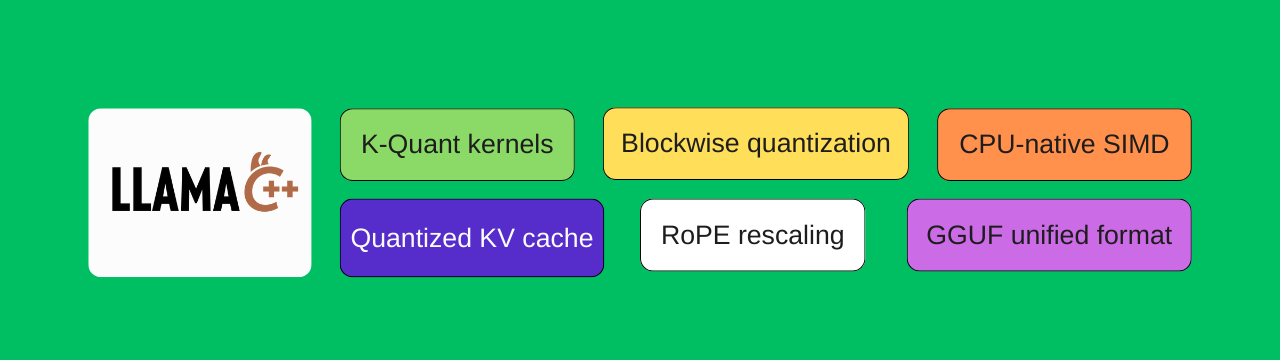
If you don't have a beefy NVIDIA GPU, or you want to run models on edge devices, Llama.cpp is your best friend. It pioneered the GGUF quantization format, enabling 70B+ models to run on consumer hardware.
Salient Features
- Universal Hardware Support: CPU, CUDA, Metal, ROCm, Vulkan, SYCL
- GGUF Format: Efficient quantization from 2-bit to 16-bit
- Low Memory Footprint: Run 7B models with 4GB RAM
- Apple Silicon Optimized: Excellent performance on M1/M2/M3 Macs
- No Python Dependencies: Single binary, easy deployment
- OpenAI-Compatible Server: Built-in API server
- Speculative Decoding: Draft model acceleration
- Grammar Constraints: JSON/regex constrained generation
Install and Serve
Option 1: Pre-built binaries
Download from Llama.cpp releases and extract.
Option 2: Build from source
1# Clone repository
2git clone https://github.com/ggml-org/llama.cpp
3cd llama.cpp
4
5# Build for CPU
6make -j
7
8# Build for CUDA (NVIDIA GPUs)
9make -j GGML_CUDA=1
10
11# Build for Metal (Apple Silicon)
12make -j GGML_METAL=1
Download a GGUF model:
1# Download from HuggingFace (example: Qwen 2.5 Coder Q4)
2# Use huggingface-cli or wget
3pip install huggingface-hub
4huggingface-cli download Qwen/Qwen2.5-Coder-7B-Instruct-GGUF \
5    qwen2.5-coder-7b-instruct-q4_k_m.gguf \
6    --local-dir ./models
Serve a model:
1# Start the server
2./llama-server \
3    -m ./models/qwen2.5-coder-7b-instruct-q4_k_m.gguf \
4    --host 0.0.0.0 \
5    --port 8000 \
6    -c 4096 \
7    -ngl 99
8
9# -c: context length
10# -ngl: number of layers to offload to GPU (99 = all)
Test the endpoint:
1curl http://localhost:8000/v1/chat/completions \
2    -H "Content-Type: application/json" \
3    -d '{
4        "model": "qwen2.5-coder",
5        "messages": [{"role": "user", "content": "Write a bash script to backup files"}],
6        "max_tokens": 200
7    }'
Key flags to know:
| Flag | Description |
|---|---|
-m | Path to GGUF model file |
-c | Context size (default: 2048) |
-ngl | Layers to offload to GPU (0 = CPU only) |
-t | Number of CPU threads |
--host | Server bind address |
--port | Server port |
-b | Batch size for prompt processing |
Exposing Your Server with Cloudflared
Running a local LLM server is great, but what if you want to access it from anywhere? Or share it with your team? Enter Cloudflared, a free tool that creates secure tunnels to your local services without port forwarding or static IPs.
Install Cloudflared
Windows:
1# Using winget
2winget install --id Cloudflare.cloudflared
3
4# Or download from: https://developers.cloudflare.com/cloudflare-one/connections/connect-apps/install-and-setup/installation/
Linux:
1# Debian/Ubuntu
2curl -L --output cloudflared.deb https://github.com/cloudflare/cloudflared/releases/latest/download/cloudflared-linux-amd64.deb
3sudo dpkg -i cloudflared.deb
4
macOS:
1brew install cloudflaredCreate a Quick Tunnel
The fastest way to expose your LLM server:
1# Expose your local vLLM/SGLang/Llama.cpp server
2cloudflared tunnel --url http://localhost:8000
This generates a temporary public URL like https://random-words.trycloudflare.com. Anyone with this URL can access your model!
Example output:
2024-12-25T10:30:00Z INF Thank you for trying Cloudflare Tunnel
2024-12-25T10:30:00Z INF Your quick Tunnel has been created!
2024-12-25T10:30:00Z INF +-----------------------------------------------------------+
2024-12-25T10:30:00Z INF |  Your free tunnel URL: https://example-words.trycloudflare.com  |
2024-12-25T10:30:00Z INF +-----------------------------------------------------------+
Using the Tunnel
Now you can call your LLM from anywhere:
1curl https://example-words.trycloudflare.com/v1/chat/completions \
2    -H "Content-Type: application/json" \
3    -d '{
4        "model": "Qwen/Qwen2.5-Coder-7B-Instruct",
5        "messages": [{"role": "user", "content": "Hello from the internet!"}]
6    }'
⚠️ Security Note: Quick tunnels are public. Anyone with the URL can access your model. For production use, set up authenticated tunnels with Cloudflare Zero Trust.
Conclusion: Which Engine Should You Choose?
Serving Engine Decision Tree
| Scenario | Recommended Engine |
|---|---|
| Production deployment with high traffic | vLLM |
| Complex multi-turn, structured outputs | SGLang |
| Limited GPU/CPU-only inference | Llama.cpp |
| Apple Silicon Mac | Llama.cpp |
| Vision-language models | SGLang or vLLM |
| Edge/embedded deployment | Llama.cpp |
GUI Alternatives: The Easy Route

Not everyone needs a high-performance serving engine. If you just want to chat with models locally, these GUI applications offer a much gentler learning curve:
- Beautiful desktop app for Windows, Mac, and Linux
- One-click model downloads from HuggingFace
- Built-in chat interface and OpenAI-compatible API
- Great for beginners and quick experimentation
- Simple CLI and GUI for running models
ollama run llama3- that's it!- Growing library of optimized models
- Cross-platform with excellent Apple Silicon support
- Privacy-focused local AI
- Curated model library
- Document analysis features
- Completely offline capable
When to Use What?
Use GUI tools when:
- You want to quickly try out models
- You're not building production applications
- You prefer visual interfaces over terminals
- You don't need OpenAI API compatibility (though most offer it)
Use serving engines when:
- Building applications that need API access
- Serving multiple users concurrently
- Optimizing for throughput and latency
- Deploying to servers or cloud infrastructure
- Fine-tuning inference parameters
Self-hosting LLMs puts you in control. Whether you choose the raw power of vLLM, the flexibility of SGLang, or the universal compatibility of Llama.cpp, you're no longer dependent on external APIs.
The open-source AI revolution is here. Your hardware. Your models. Your rules.
Happy inferencing! 🚀
Previous Post
CodeContinue: Taking Back Control from Cloud-Based Code Completion
Next Post
Getting Started with the Creality Ender 3 V2 Neo: A Complete Beginner's Guide
If the article helped you in some way, consider giving it a like. This will mean a lot to me. You can download the code related to the post using the download button below.
If you see any bug, have a question for me, or would like to provide feedback, please drop a comment below.